

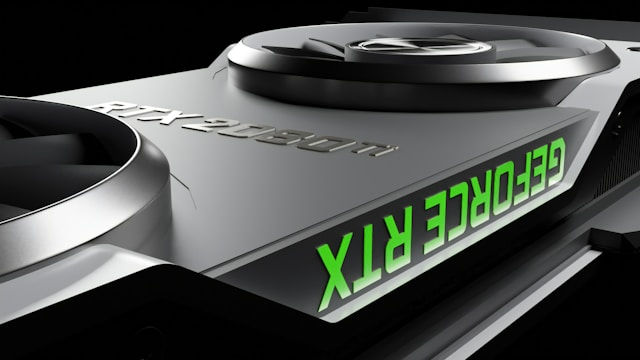
Why Buying the Fastest GPU Might Actually Slow Down Your PC
Friday, February 13, 2026, 6 PM



The Performance Trap Most PC Builders Fall Into
When you decide to upgrade your computer or build a new one from scratch, your eyes probably go straight to the graphics card. It’s the flashy part. It’s the component that promises 4K visuals and smooth frame rates. But there is a silent partner in this relationship that many people ignore until it is too late: the processor.
Buying a top-tier GPU while using an old, budget CPU is like putting a Ferrari engine inside a lawnmower frame. You have all that power, but the rest of the system simply cannot handle it. This is what we call a hardware bottleneck.
How the CPU and GPU Work Together
To understand why balance matters, you have to look at how a game actually runs. The CPU is the brain. It handles the logic, the physics, and tells the graphics card what to draw. The GPU is the artist. It takes those instructions and paints the beautiful pictures you see on your monitor.
If your CPU is too slow, it can’t send instructions fast enough. Your expensive graphics card ends up sitting idle, waiting for the next command. You might have spent $800 on a card, but you are only getting $400 worth of performance because your processor is struggling to keep up.
Resolution Changes Everything
One thing many beginners don't realize is that your monitor resolution changes which part of your computer works the hardest. If you play games at 1080p, your CPU actually has a lot more work to do because the GPU finishes its tasks so quickly. As you move up to 1440p or 4K, the load shifts. At 4K, the graphics card is doing the heavy lifting, and the CPU speed becomes slightly less critical.
If you are a competitive gamer who wants 240Hz for shooters at low settings, you need a monster CPU. If you want beautiful, cinematic games at 4K, you can get away with a mid-range CPU and a high-end GPU.
Finding the Sweet Spot
Before you hit the "buy" button, do some research on pairings. Look for benchmarks that match the specific CPU and GPU you want. Don't just look at the highest frame rates; look at the "1% lows." This tells you if the game will stutter. A balanced system provides a smooth experience, which is always better than a high average frame rate with constant lag spikes.
Stop chasing the most expensive part. Chase the part that fits your system. Your wallet—and your gaming experience—will thank you.
Posted in: Gadgets



No comments yet