

How to Send a WhatsApp Message Without Saving a Number
Tuesday, June 16, 2026, 3 AM


WhatsApp is one of the most popular messaging platforms in the world. However, many users are surprised to learn that you don't always need to save a phone number to your contacts before sending a message.
This can be useful when contacting businesses, delivery drivers, customers, service providers, or anyone you only need to message once.
Why Avoid Saving Temporary Contacts?
Saving every phone number can quickly clutter your contact list. After a while, your phone may contain dozens of contacts that you never intend to message again.
Common situations include:
- Contacting a seller or buyer.
- Messaging a delivery driver.
- Speaking with a customer.
- Making a one-time business inquiry.
- Sending information to a temporary contact.
The Manual WhatsApp Method
WhatsApp supports direct chat links using the wa.me format.
For example:
https://wa.me/911234567890
The phone number must include the country code and should not contain spaces, brackets, or special characters.
You can also include a pre-filled message:
https://wa.me/911234567890?text=Hello
Opening this link launches WhatsApp and prepares a chat with the specified number.
The Problem with Manual Links
Although the wa.me method works, creating links manually can be inconvenient. You must enter the correct country code, format the number properly, and encode messages correctly.
For people who frequently send WhatsApp messages, repeating this process can become tedious.
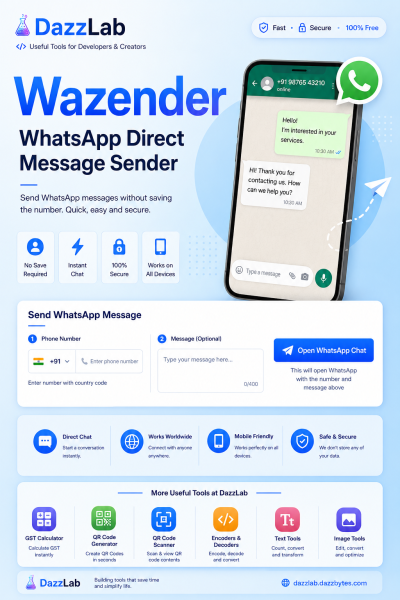
A Simpler Solution: WaZender
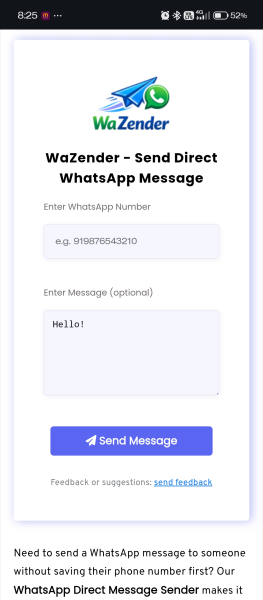
WaZender is a free online tool that simplifies direct WhatsApp messaging. Instead of manually creating wa.me links, you simply enter the phone number and optional message.
With a single click, WaZender generates the correct WhatsApp link and opens the conversation instantly.
Benefits of Using WaZender
- No need to save phone numbers.
- Supports international numbers.
- Add optional pre-filled messages.
- Works on mobile and desktop devices.
- Fast and easy to use.
- No registration required.
How to Use WaZender
- Enter the recipient's WhatsApp number including country code.
- Type your message (optional).
- Click the Send Message button.
- WhatsApp will open automatically.
- Review the message and send it.
Frequently Asked Questions
Do I need WhatsApp installed?
Yes. WhatsApp must be installed on your phone or available through WhatsApp Web on your computer.
Can I send messages to international numbers?
Yes. Simply include the correct country code before the phone number.
Is WaZender free to use?
Yes. WaZender is completely free and designed to make direct WhatsApp messaging simple and convenient.
If you regularly need to contact people on WhatsApp without filling your contacts list with temporary numbers, WaZender offers a quick and efficient solution.
WaZender Tool Link: WaZenderPosted in: Tips & Tricks





No comments yet